What are the 4 different channel search modes?
ChannelsUpdated October 5, 2026
The four ways to find channels
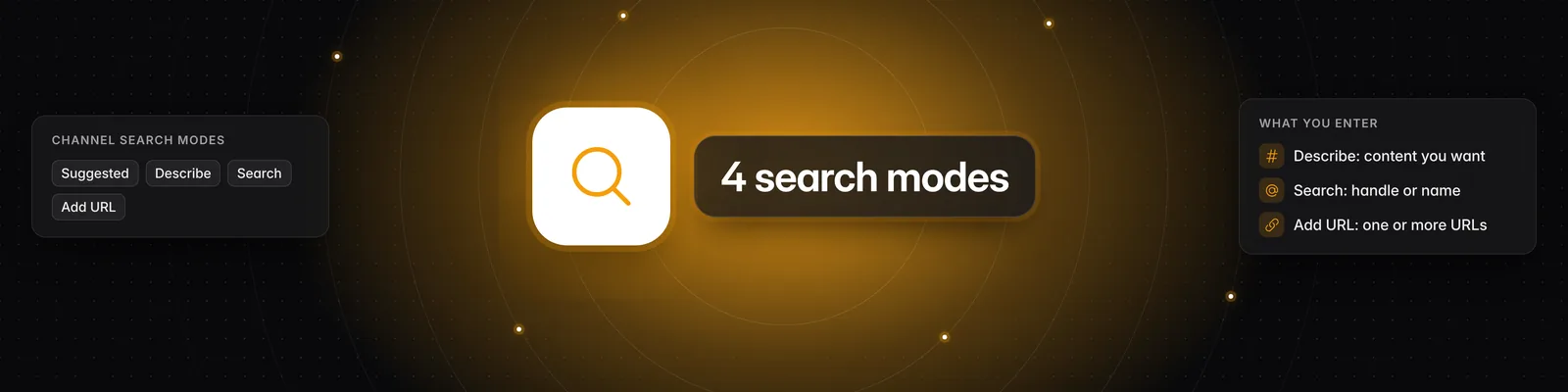
The Channels page has four modes for finding channels and adding them to your watchlist: Suggested, Describe, Search and Add URL. Pick a mode at the top of the page.
Suggested
Suggested recommends channels similar to the ones already in your watchlist.
- If your watchlist is empty, suggestions are based on your workspace persona instead.
- If you have no watchlist channels and no persona, you'll see Create a persona for this workspace. Click it to set one up.
- Suggestions update as your watchlist grows.
- Hover over a channel card and click More like this to see channels similar to that one.
Describe
Describe finds channels that match a description of the content you want.
- Type a description, for example "social media marketing and content growth".
- Optionally filter by Platform (YouTube, TikTok, Instagram) and Account size (Nano, Micro, Small, Medium, Large, Mega).
- Click Search or press Enter.
Search
Search finds a creator you already know by their handle or name.
- Results appear as you type, grouped into Exact Matches and Approximate Matches.
- You can filter results by Platform and Account size.
- Search only finds channels that are already in Sandcastles. If a channel doesn't show up, add it with Add URL. See Why are certain channels not appearing in Sandcastles search results?
Add URL
Add URL adds channels from their profile links.
- Paste one or more full channel URLs, separated by a new line or comma.
- Click Parse.
- Click the plus icon (Add to watchlist) next to a channel under Successfully Parsed, or hover over the section and click Add all.
Links that couldn't be read are listed under Failed to Parse. Channels already in your watchlist aren't shown again.
Adding channels that are new to Sandcastles
Channels that aren't in Sandcastles yet are marked New channel! after you parse them.
- Each new channel counts toward your plan's monthly new-channel allowance. Adding a channel that's already in Sandcastles doesn't.
- The Starter plan can't add new channels. You'll see Upgrade required if you try. You can still add channels that are already in Sandcastles.
- If you've used this month's allowance, you'll see Monthly Limit Reached with the date your limit resets.
For plan limits, see How to use the Channels tab
If you have any questions, please reach out to support@sandcastles.ai.