How to set up the Sandcastles MCP in Google Antigravity
Connecting the Sandcastles MCP to Google Antigravity
You can add Sandcastles to Google Antigravity as an MCP server, then sign in with your Sandcastles account. The quickest way is to ask the Antigravity agent to add it for you. It works in the Antigravity app, IDE and CLI.
Before you start
- You need a Pro, Visionary or Titan plan. The MCP isn't included in the Starter plan.
- The Sandcastles MCP server URL is
https://mcp.sandcastles.ai/. You can also copy it in Sandcastles under Settings > Connectors on the MCP card: hover over the URL and click Copy.
Option 1: Ask the agent (recommended)
-
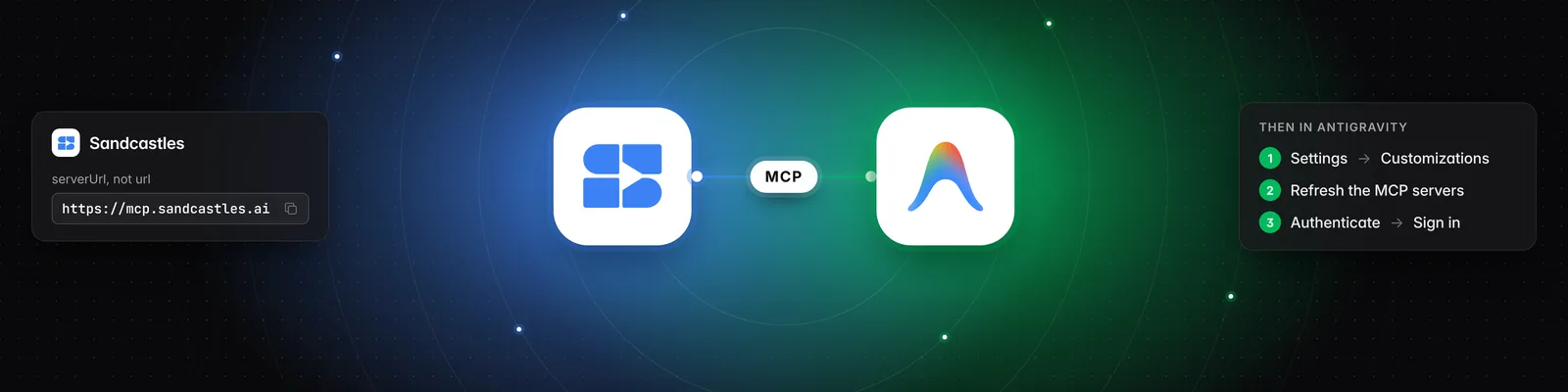
Open a project in Antigravity and paste this prompt into the agent:
Add an MCP server named sandcastles with serverUrl https://mcp.sandcastles.ai/ to this project's .agents/mcp_config.json. -
Open Settings > Customizations.
-
Click Refresh on the MCP servers list.
-
Click Authenticate next to Sandcastles.
-
Log in with your Sandcastles account and approve access.
In the Antigravity CLI, type /mcp and choose Authenticate instead of steps 2 to 4.
Option 2: Set it up manually
-
In the Antigravity IDE, open the … menu in the agent panel.
-
Click MCP Servers > Manage MCP Servers > View raw config. You can also open
~/.gemini/config/mcp_config.jsondirectly. -
Add Sandcastles to the config:
{ "mcpServers": { "sandcastles": { "serverUrl": "https://mcp.sandcastles.ai/" } } }If the file already has an
mcpServerssection, add thesandcastlesentry inside it instead of creating a second one. -
Save the file.
-
Click Refresh on the MCP servers list.
-
Click Authenticate next to Sandcastles, then log in with your Sandcastles account and approve access.
Once you're connected, try: "Use Sandcastles to show me the top videos in my watchlist from the last 7 days."
Important notes
- The field must be
serverUrl. Antigravity doesn't accepturl. - Sign in separately in each part of Antigravity you use (app, IDE and CLI). Sign-ins aren't shared between them.
- The MCP works in the workspace you last had open in Sandcastles. You can ask the agent to list your workspaces or switch to another one. Switching also changes the workspace you see the next time you open Sandcastles.
- Analyzing a video uses 1 credit. If the video is already in your workspace, it doesn't use another credit.
Troubleshooting
- "Your Sandcastles plan doesn't include MCP access." Your account isn't on a Pro, Visionary or Titan plan. Upgrade, then try again.
- "You don't have enough credits to perform this action." You're out of credits for analyzing new videos. You can buy more in Settings > Subscription > Buy additional credits.
Related articles
- How to set up the Sandcastles MCP in any AI assistant
- How to set up the Sandcastles MCP in Gemini
- How to set up the Sandcastles MCP in Cursor
- Does using the Sandcastles MCP cost credits?
If you have any questions, please reach out to support@sandcastles.ai.