How to use the /video-suggest tool (Sandcastles MCP in Claude)
What does the /video-suggest command do?
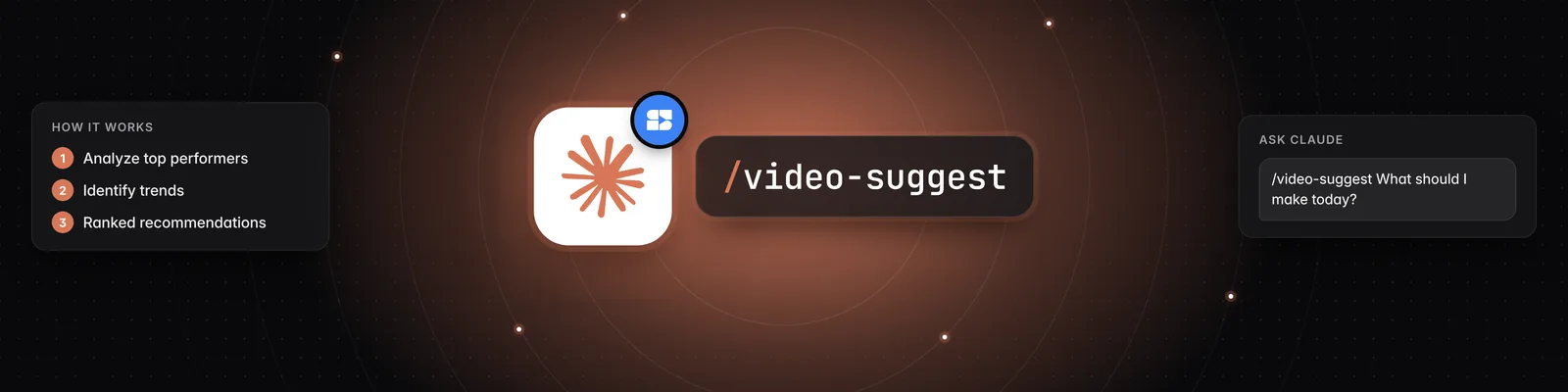
/video-suggest gives you a ranked recommendation for what to make your next video about. Claude looks at analyzed videos from your Watchlist, picks 3–5 topics worth your time, ranks them in order, explains each ranking and links 2–3 example videos for each one.
Before You Start
You need:
- A Pro, Visionary or Titan plan. The Sandcastles MCP isn't available on the Starter plan.
- The Sandcastles connector and the Sandcastles plugin installed in Claude. See How to set up the Sandcastles MCP in Claude and How to update the Sandcastles MCP plugin in Claude.
- At least one channel on your Watchlist, and some analyzed videos.
Using the /video-suggest Command
You run /video-suggest in Claude, not in the Sandcastles web app.
- Open a chat in Claude.
- Type
/video-suggestand send it. - Read the ranked topics Claude returns.
- Reply with follow-up questions to dig into a topic or change the settings.
Which Videos /video-suggest Looks At
By default, /video-suggest uses up to 25 of the most-viewed videos that match all of these:
- Analyzed in your current workspace. This includes videos from channels on your Watchlist, plus any other videos you've analyzed in that workspace.
- Posted in the last 30 days.
- At least 25,000 views.
- At least 2% engagement rate.
- An outlier score of at least 1.0x.
Videos that haven't been analyzed yet are left out, even if they match. /video-suggest only looks at your Watchlist, never at videos from across all of Sandcastles.
How the Topics Are Ranked
Claude groups the videos by topic, then puts the topic with the strongest combination of these first:
- Momentum.
- Room for a fresh angle.
- Fit for your niche.
Each topic comes with a short reason for its place in the list.
Changing the Defaults
/video-suggest always starts with the default settings. To change them, ask Claude in your next message. You can change the time window, the platform (YouTube Shorts, TikTok or Instagram), the minimum views, engagement rate and outlier score, and the number of videos (up to 50). For example:
- "Do the same for the last 60 days."
- "Only look at TikTok."
- "Only include videos with over 100,000 views."
- "Use up to 50 videos."
What You Get Back
By default, Claude gives you:
- 3–5 ranked topics: numbered in order, with the strongest first.
- A short reason for each ranking: why each topic sits where it does.
- 2–3 example videos per topic: each with a link to the video in Sandcastles, as starting points for your research.
Claude may also suggest analyzing more videos from your Watchlist to get a fuller picture. You can ask Claude for more, for example:
- "Give me three video ideas for the first topic."
- "Why is the second topic ranked lower?"
- "Show me all the videos behind the top topic."
To see the topics in your niche without a ranking, use /topics. It uses the same videos. See How to use the /topics tool (Sandcastles MCP in Claude).
Credits
/video-suggestis free. It doesn't use credits.- If you ask Claude to analyze more videos, each new video uses 1 credit. Videos already analyzed in your current workspace don't use a credit again.
Troubleshooting
- Claude says there are no channels in your Watchlist: Add channels to your Watchlist, or use
/channels-addin Claude, then run/video-suggestagain. - Claude finds few or no videos: Only analyzed videos count. Ask Claude to look further back or lower the minimum views, or analyze more videos from your Watchlist.
- The suggestions are from the wrong niche:
/video-suggestuses the workspace you're currently in. Ask Claude "Which workspace am I in?" and switch if needed. - "Your Sandcastles plan doesn't include MCP access.": Upgrade to Pro, Visionary or Titan.
- The command doesn't appear: If
/video-suggestisn't listed when you type /, update your plugin by adding Sandcastles from the Claude directory at https://claude.ai/directory/sandcastles. See How to update the Sandcastles MCP plugin in Claude.
Related Articles
- How to set up the Sandcastles MCP in Claude
- How to update the Sandcastles MCP plugin in Claude
- Does using the Sandcastles MCP cost credits?
- How to use the /topics tool (Sandcastles MCP in Claude)
If you have any questions, please reach out to support@sandcastles.ai.