How to use the /topics tool (Sandcastles MCP in Claude)
What does the /topics command do?
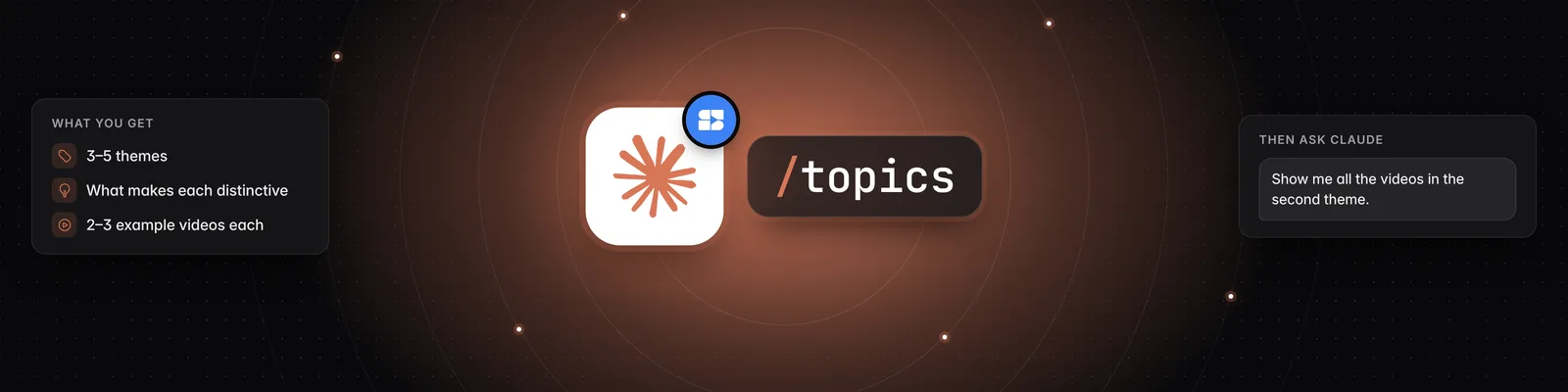
/topics shows you which topics are working in your niche right now. Claude looks at analyzed videos from your watchlist, groups them into 3–5 themes, explains what makes each theme distinctive and links 2–3 example videos for each one.
Before You Start
You need:
- A Pro, Visionary or Titan plan. The Sandcastles MCP isn't available on the Starter plan.
- The Sandcastles connector and the Sandcastles plugin installed in Claude. See How to set up the Sandcastles MCP in Claude and How to update the Sandcastles MCP plugin in Claude.
- At least one channel on your watchlist, and some analyzed videos.
Using the /topics Command
You run /topics in Claude, not in the Sandcastles web app.
- Open a chat in Claude.
- Type
/topicsand send it. - Read the themes Claude returns.
- Reply with follow-up questions to dig into a theme or change the settings.
Which Videos /topics Looks At
By default, /topics uses up to 25 of the most-viewed videos that match all of these:
- Analyzed in your current workspace. This includes videos from channels on your watchlist, plus any other videos you've analyzed in that workspace.
- Posted in the last 30 days.
- At least 25,000 views.
- At least 2% engagement rate.
- An outlier score of at least 1.0x.
Videos that haven't been analyzed yet are left out, even if they match.
Changing the Defaults
/topics always starts with the default settings. To change them, ask Claude in your next message. You can change the time window, the platform (YouTube Shorts, TikTok or Instagram), the minimum views, engagement rate and outlier score, and the number of videos (up to 50). For example:
- "Do the same for the last 60 days."
- "Only look at TikTok."
- "Only include videos with over 100,000 views."
- "Use up to 50 videos."
What You Get Back
By default, Claude gives you:
- 3–5 themes: each with a name and a short description of what makes it distinctive.
- 2–3 example videos per theme: each with a link to the video in Sandcastles.
Claude may also suggest analyzing more videos from your watchlist to get a fuller picture.
The themes aren't ranked by default. You can ask Claude for more, for example:
- "Rank these topics by total views."
- "Which of these topics fit my channel best?"
- "Show me all the videos in the second theme."
For a ranked recommendation of what to make next, use /video-suggest. It uses the same videos and ranks 3–5 topics worth your time.
Credits
/topicsis free. It doesn't use credits.- If you ask Claude to analyze more videos, each new video uses 1 credit. Videos already analyzed in your current workspace don't use a credit again.
Troubleshooting
- Claude says there are no channels in your watchlist: Add channels to your watchlist, or use
/channels-addin Claude, then run/topicsagain. - Claude finds few or no videos: Only analyzed videos count. Ask Claude to look further back or lower the minimum views, or analyze more videos from your watchlist.
- The topics are from the wrong niche:
/topicsuses the workspace you're currently in. Ask Claude "Which workspace am I in?" and switch if needed. - "Your Sandcastles plan doesn't include MCP access.": Upgrade to Pro, Visionary or Titan.
- The command doesn't appear: If
/topicsisn't listed when you type /, update your plugin by adding Sandcastles from the Claude directory at https://claude.ai/directory/sandcastles. See How to update the Sandcastles MCP plugin in Claude.
Related Articles
- How to set up the Sandcastles MCP in Claude
- How to update the Sandcastles MCP plugin in Claude
- Does using the Sandcastles MCP cost credits?
- How to use the /formats-watchlist tool (Sandcastles MCP in Claude)
- How to use the /hooks-watchlist tool (Sandcastles MCP in Claude)
If you have any questions, please reach out to support@sandcastles.ai.