How to set up the Sandcastles MCP in Codex
Connecting Sandcastles to Codex
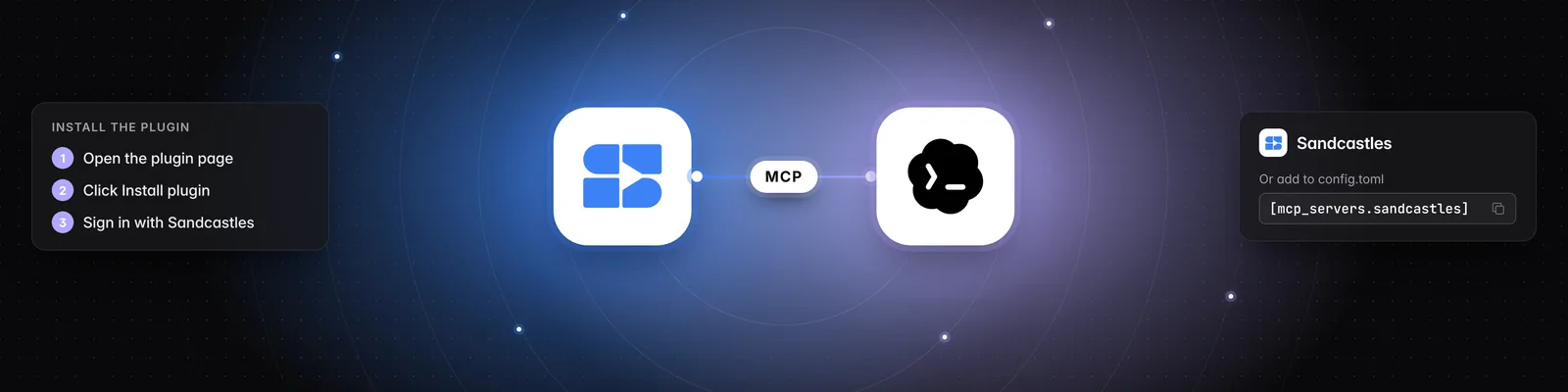
The quickest way to connect Sandcastles to Codex is to install the Sandcastles plugin and sign in with your Sandcastles account. If you prefer, you can add the Sandcastles MCP server to your Codex config file instead.
Before you start
- You need an active Sandcastles Pro, Visionary or Titan plan. The MCP isn't available on the Starter plan.
- The Sandcastles MCP server URL is
https://mcp.sandcastles.ai/. You only need it for manual setup. You can also copy it in Sandcastles from Settings > Connectors: in the MCP card, hover over the URL and click Copy.
Option 1 (recommended): Install the Sandcastles plugin
ChatGPT and Codex share one plugin directory, so this is the same Sandcastles listing you'd use in ChatGPT.
- Open the Sandcastles plugin page. You can also get there from Sandcastles: go to Settings > Connectors and, in the MCP card, click Install from Marketplace > Codex.
- Check that the listing is titled Sandcastles, with the tagline "Your content strategist".
- If you aren't logged in, click Log in in the top right and sign in with the ChatGPT account you use for Codex.
- Click Install plugin.
- Sign in with your Sandcastles account when asked, and approve access.
- Start a new session in Codex before you ask it to use Sandcastles.
You can also install the plugin from inside Codex:
- In the Codex app: open the Plugins tab, search for Sandcastles and click the plus button.
- In the Codex CLI: run
codex, then type/plugins.
Plugins aren't available in the Codex IDE extension, for example in VS Code. Use the Codex app or the Codex CLI instead.
Option 2: Manual setup
-
Add these lines to
~/.codex/config.toml:[mcp_servers.sandcastles] url = "https://mcp.sandcastles.ai/" -
Start the sign-in:
codex mcp login sandcastles -
Sign in with your Sandcastles account when the Sandcastles sign-in page opens, and approve access.
Example prompt
Once connected, just ask Codex in plain words. Replace creatorhandle with the Instagram account you want to study.
Use Sandcastles to pull the top 20 performing videos from creatorhandle on Instagram and break down their topics, formats and hooks.
Important notes
- Analyzing a video that isn't in your workspace yet uses 1 credit. If the video is already in your workspace, it doesn't use another credit. See Does using the Sandcastles MCP cost credits? for what's free and what uses credits.
- The MCP works in the workspace you last had open in Sandcastles. Ask Codex to list your workspaces or switch to another one. Switching in Codex also changes the workspace you see the next time you open Sandcastles.
- Codex doesn't have the slash commands from the Sandcastles Claude plugin, so you can't type
/analyzeto call a specific tool. Codex still has access to all the same Sandcastles tools, so just describe what you want in plain language.
Troubleshooting
- "Your Sandcastles plan doesn't include MCP access." Your Sandcastles account doesn't have an active Pro, Visionary or Titan plan. Upgrade, then try again.
- "You don't have enough credits to perform this action." You're out of credits for analyzing new videos. You can buy more in Settings > Subscription > Buy additional credits.
- The MCP card shows a See plans button instead of the URL: you're on the Starter plan. Upgrade to Pro or higher to use the MCP.
- Codex doesn't use Sandcastles after you install the plugin: start a new session, then ask again.
- You can't find plugins in your editor: plugins aren't available in the Codex IDE extension. Use the Codex app or the Codex CLI.
Related articles
- How to set up the Sandcastles MCP in any AI assistant
- How to set up the Sandcastles MCP in ChatGPT
- How to set up the Sandcastles MCP in Claude
- Does using the Sandcastles MCP cost credits?
If you have any questions, please reach out to support@sandcastles.ai.