How to use the Persona tab
Everything ElseUpdated October 5, 2026
Understanding the Persona Tab
The Persona tab tells Sandcastles about your niche, your brand and how you write. It uses this to personalize your scripts, your channel suggestions and your ideas.
Which plans include Persona
- Persona is available on the Pro, Visionary and Titan plans.
- Persona isn't available on Starter. If you open Persona on Starter, you'll see "Persona is available on our full plans. Upgrade to personalize your channel discovery, ideas, and scripts." Click Upgrade to a full plan to see the plans. See What are the differences between the Starter, Pro, Visionary, and Titan plans? for plan details.
Fill out your Persona
- Click Persona in the left-hand sidebar, under Configure.
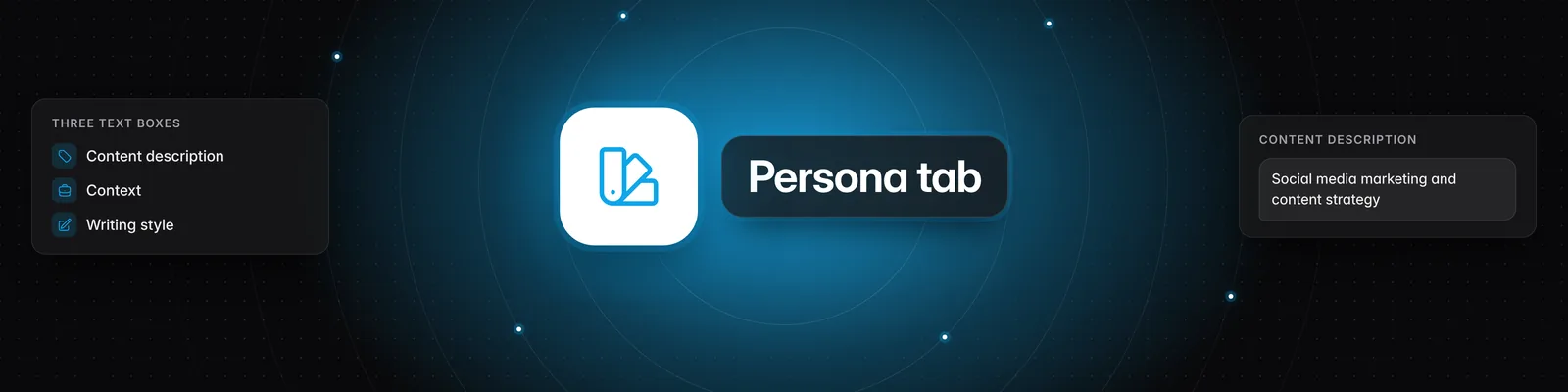
- Fill in Content description, Context and Writing style.
- Pause typing. Your changes save automatically, and a green Saved badge appears under the field. There's no save button.
Persona is set per workspace
Each workspace has its own Persona. When you switch workspaces, the Persona tab shows the Persona for the workspace you're in, and only that workspace uses it. If you work across several niches or clients, fill out a Persona in each workspace. See How to use the Workspaces feature.
Content description
- What it's for: Your content niche. It's used to personalize channel discovery and idea analysis.
- Example: "Social media marketing and content strategy"
- Tip: Keep it short and specific.
- Limit: 5,000 characters.
Context
- What it's for: Your business or brand, plus any preferences or expertise you want Sandcastles to know about. It's used in all future scripts.
- Limit: 5,000 characters.
- Example:
@Kallawaymarketing — Social media growth for business owners and creators. How the algorithm works, how to build a personal brand, content strategy frameworks. Audience is entrepreneurs trying to grow on social.

My voice: Direct, slightly contrarian, no hype. I back claims with data or specific examples. I don't do motivational fluff. I speak like a practitioner who's figured something out and is cutting straight to the insight.

Formats I use most: Breakdown/explainer, hot take with evidence, framework reveals, "here's what most people get wrong" contrarian angles.

Expertise areas: Short-form video scripting, hook mechanics, AI productivity tools, personal branding, algorithm strategy, content monetization.

Avoid: Vague generalities ("this is really important"), hype language ("game-changing", "revolutionary"), listicles without a unifying insight, passive voice.
Writing style
- What it's for: A writing sample for Sandcastles to emulate. It learns the tone, flow and rhythm of your scripts from it.
- Tip: Don't add instructions here. Only paste a script you want to sound like. You can also paste part of a transcript from a video you've analyzed if you like its style.
- Limit: 3,000 characters.
- Example:
If you want your storytelling to hit harder, you should use the Lawyer Method.

It's 2 steps, super easy, but it will change how you approach making content.

Let me explain...

When a lawyer prepares for a trial, they have a core argument that they support with evidence.

And they use that to convince the jury to believe them.

Content works the exact same way.

When you make a video, you have a core take that you support with facts and examples.

And you use that to convince the audience to believe it.

It's the exact same thing.

Certain lawyers are assassins in the court room.

So how do you become an assassin of the content world?

2 steps.

First, when you're making a video, start by defining your "core argument."

I like to think of this as your contrarian take.

What is the one thing you believe about the topic that most people don't?

This is where "interestingness" actually comes from.

Second, once you have that take locked in, you need to think through what your best evidence is for making someone quickly believe your stance to be true.

Hard data, stats, specific proof, examples, anything concrete is best.

I call this the "substance" of your story.

If you frame your content in this way, with a contrarian take and matching substance, it will come off way more interesting.

Once you have the idea dialed in, you can use any content format to tell the story.
Where Sandcastles uses your Persona
- Scripts: Your Context and Writing style shape the scripts Sandcastles writes for you. Your Content description and Context also guide the research for your scripts. See How to use the Scripts tab and How does Sandcastles choose writing styles in scripts flow?.
- Suggested channels: On the Channels page, Suggested recommends channels based on the channels in your Watchlist. If your Watchlist is empty, it uses your Content description instead.
- Ideas: Ideas you add after filling in your Content description include a How to Personalize this Video for Your Content Niche section with three ways to adapt the video to your niche. Ideas from your own verified channels don't get this section.
Troubleshooting
- Suggested asks you to create a persona. Your Watchlist is empty and this workspace has no Content description. Click Create a persona for this workspace, or add channels to your Watchlist.
- An idea says "Tell us what you make content about." This workspace has no Content description. Click Describe your content to add one.
- You can't type in the fields. Workspace guests have read-only access, so they can see the Persona but can't change it.
If you have any questions, please reach out to support@sandcastles.ai.