How to use the Personal Analytics Dashboard
What the Personal Analytics Dashboard shows
The Dashboard is your home page in Sandcastles. Once you turn on personal analytics and verify your channels, it shows your followers, views, posts, performance charts, recent videos and your latest Content Strategy Audit in one place.
How to turn on your dashboard
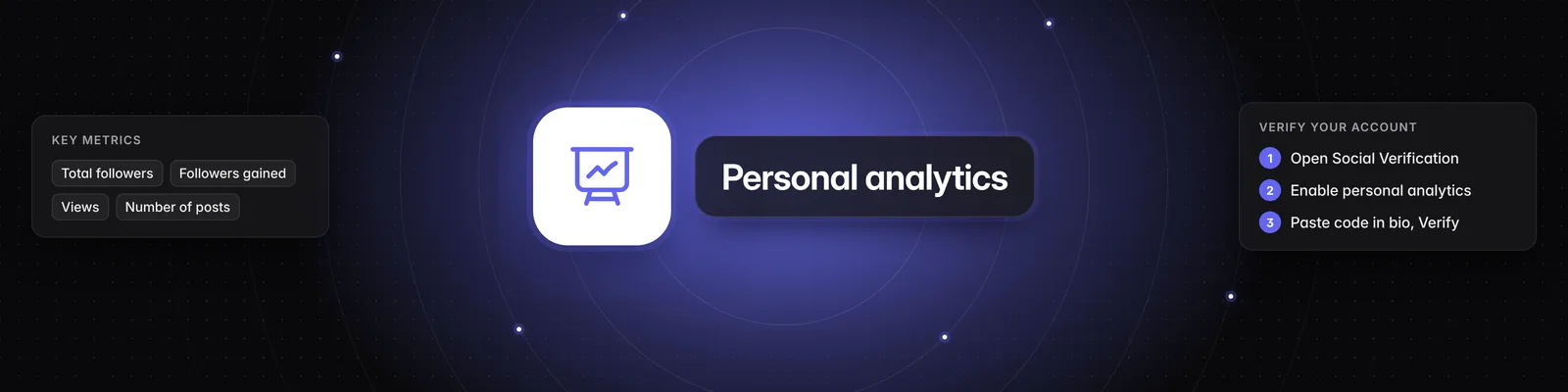
- Go to Settings > Social Verification.
- If you have more than one workspace, choose the right one in the Workspace dropdown.
- Turn on Enable personal analytics. You need an active subscription to do this.
- Under Add an account, choose your platform (YouTube, TikTok or Instagram) and enter your handle.
- Click Get code.
- Paste the code anywhere in your bio on that platform. The code expires after 5 minutes.
- Click Verify.
Once your account is verified, you can remove the code from your bio. The Dashboard shows "We're pulling in your data." for a few minutes while Sandcastles analyzes your channel for the first time.
You can also start from the Dashboard: click Enable personal analytics or Verify your channels to jump straight to the right tab. For more help with verification, see How to verify your social channels in Sandcastles.
Plan limits
| Plan | Verified channels | Refresh on demand | Content Strategy Audit |
|---|---|---|---|
| Starter | 1 | Not included | Not included |
| Pro | 3 | 12 hour refresh | Included |
| Visionary | 5 | 6 hour refresh | Included |
| Titan | 20 | 1 hour refresh | Included |
Your verified channel limit is shared across all your workspaces. To compare everything else each plan includes, see What are the differences between the Starter, Pro, Visionary, and Titan plans?.
Refreshing your data
- Your Dashboard updates automatically.
- On Pro, Visionary and Titan, you can also refresh on demand. Click Refresh at the top of the Dashboard, then click Refresh channels. New videos, views and follower counts usually arrive within a few minutes (up to 10).
- After a refresh, you can refresh on demand again once your plan's refresh window (see the table above) has passed.
The dot on the Refresh button shows its status:
- Blue: You can refresh now.
- Amber (Refreshing…): A refresh is running. The Dashboard updates on its own when it's done.
- Green (Refreshed): Your channels were refreshed recently. Click the button to see when you can refresh again.
- Gray: On-demand refresh isn't included in your plan.
Filters and key metrics
Use the filters at the top of the Dashboard to choose what you see:
- Channels: Show all channels or pick specific ones.
- Date range: Choose Last 7 days, Last 30 days, Last 90 days or All time, or type your own, like 14d.
The four cards at the top summarize your selection:
- Total followers: Your current follower count.
- Followers gained: Net new followers in the selected period, compared with the previous period.
- Views: Views your videos earned in the selected period, compared with the previous period.
- Number of posts: Videos you published in the selected period, compared with the previous period.
Performance charts
- Views by day and Cumulative views
- Followers gained by day and Cumulative followers
Use the toggle next to Not showing previous period to compare each chart with the previous period.
Recent videos
This card ranks your 8 most recent videos by views. To keep the comparison fair, each video's views are shown as of the same number of days after posting as your newest video (for example, "Views as of 3d after posting"). This shows how your newest post, marked Newest, is tracking against your other recent videos.
An amber icon next to a video means it was posted before tracking started, so it shows total views instead.
Content Strategy Audit
The audit analyzes your videos and breaks down what's working by Topics, Hooks, Formats and Scriptwriting Tactics. It also builds The Success Formula, a recipe from your top-performing topic, format and hook. From your second audit on, How You're Executing shows what worked, what didn't and what was surprising since your last audit.
When you verify a channel, Sandcastles adds a report called @yourhandle - Monthly Content Strategy Audit to your Reports tab. It's set to run every 30 days on your 15 most recent videos. It starts turned off, so it won't run or use credits until you turn it on or click Run now:
- Go to Reports. If you don't have an audit yet, you can also click the New banner on the Dashboard.
- Find @yourhandle - Monthly Content Strategy Audit.
- Turn on the Active toggle. The audit now runs every 30 days.
- To get your first audit right away, click Run now.
When an audit finishes, the latest one appears on your Dashboard. Click View report to open it in full, where you can Export it as JSON, Email it or Continue with MCP. Sandcastles also emails you each finished report. You can turn this off in Settings > Feature Flags > Enable emails for reports.
To change the schedule, analysis budget, which videos are analyzed or the lookback period, click the gear icon on the report card. You can also turn on Exclude brand deals there to leave out videos with under 2% engagement. It's off by default. See How to use the Reports tab for details.
- The Content Strategy Audit isn't available on Starter.
- Each run uses credits. Credits Per Run on the report card shows the most a run can cost. You'll use fewer if some of your videos were already analyzed. See How does the credit system work?.
- If you run out of credits, scheduled audits pause and we email you. They resume once you have enough credits.
Use your dashboard in Claude
If you've set up the Sandcastles MCP, run /analytics in Claude to pull in your dashboard numbers for the last 7 days. See How to set up the Sandcastles MCP in Claude.
Important notes
- Monitoring start date: If your date range goes back before Sandcastles started tracking a channel, you'll see a Monitoring started badge. Views before that date are estimated from each post's lifetime totals. Follower history before that date isn't available, so that part of the follower charts is shaded gray. This clears up as tracking continues.
- Turning analytics off: In Settings > Social Verification, click the green switch next to your verified count, then click Turn it off. Your existing insights and analyzed videos stay, and you can turn it back on anytime.
- Workspace guests: Only workspace owners can manage social verification.
Troubleshooting
- "An active subscription is required to enable personal analytics." Personal analytics needs an active subscription on the workspace owner's account. It can't be turned on if the subscription has been canceled or a payment is past due. Check your plan in Settings > Subscription.
- "You've reached your limit of 3 verified accounts." The number matches your plan. Disconnect an account in Settings > Social Verification, or upgrade to verify more.
- "Channel refresh isn't available on your plan." On-demand refresh isn't included on Starter. Your Dashboard still updates automatically.
- "Your channels aren't eligible for a refresh right now." A refresh is already running, or your plan's refresh window hasn't passed yet.
- No audit on your Dashboard: The audit appears after its first run finishes. Make sure the report is Active in Reports, or click Run now. The Dashboard only shows audits that cover a single verified channel.
If you have any questions, please reach out to support@sandcastles.ai.